Quick Verdict
Our tips for the Mesqool Emergency Weather Radio 12000mAh, AI-scored 0/10.
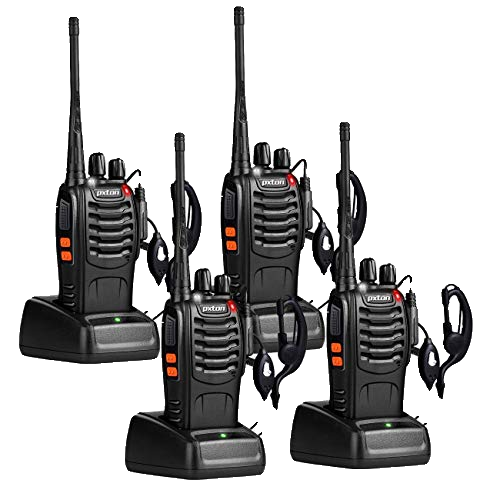
⭐ Featured in this article
Mesqool Emergency Weather Radio 12000mAh
1. Do the first charge with USB-C, not solar or crank
Plug it into a wall outlet or power bank the day you buy it. The 12000mAh cell takes roughly eight hours from empty this way. Solar and the hand crank both work too slowly for that initial fill-up, so start with the fastest method. After that first charge you can keep it topped off with the other options.2. Scan all seven NOAA frequencies right away
Turn the radio on and run through every weather band in your area. One frequency will come in clearer than the others depending on your location. Save that station as a preset. During an alert the radio will break in automatically, but only if you already have the strongest signal locked in.3. Position the solar panel like a book, not flat on a table
The built-in panel is small, so angle it toward the sun at midday. Lean the whole unit against a rock or backpack so the cells face the light directly. I gained about 5 percent battery in two hours this way on a clear day. Lay it flat and you will see almost nothing.4. Crank in two-minute bursts with rests
The hand crank adds power, but it is slow. Ten minutes of steady cranking gave me roughly 3 percent on the meter. Work in short sessions and let your arm recover. It is useful when you need just enough juice to send one text, not to refill the whole battery.5. Charge phones at 50 percent radio battery or higher
The Mesqool can push power to a phone through its USB port, but output drops once the radio's own battery falls below half. Keep the radio above that line if you want a reliable phone top-up. I drained mine to 30 percent once and the phone barely moved.6. Turn off the flashlight and SOS beacon when not needed
Those LEDs pull more current than the radio itself. Leave them off unless you are actually walking at night. The weather receiver and AM/FM draw far less, so you can monitor alerts for days on a single charge if the lights stay dark.7. Check the battery level every month in storage
The 12000mAh cell holds a charge well, but it still drops a few percent each month. Plug it into USB-C for an hour every thirty days. That keeps the pack from sitting too low when you actually need it.Common Mistakes to Avoid
New owners often leave the unit in direct sun for days hoping for a fast solar refill; the panel is too small for that and the heat can shorten battery life. Others crank for hours straight and get frustrated when the percentage barely moves. A third common error is storing the radio with the power switch on so the NOAA receiver drains the pack over time. Keep it off until an alert is expected.Ready to buy?
Mesqool Emergency Weather Radio 12000mAh
View on Amazon →Affiliate link — we may earn a commission at no extra cost to you
Frequently Asked Questions
With its 12000mAh battery, the radio can run continuously for up to 48 hours on the built‑in NOAA alerts and up to 96 hours in power‑saving mode, depending on volume and usage.
Yes, the device supports pass‑through charging, so you can keep the radio on for alerts while it’s plugged into a wall outlet or power bank.
It tunes into all US NOAA Weather Radio stations (including 162.400‑162.550 MHz) and displays text alerts for severe thunderstorms, tornadoes, floods, and other emergencies.
The radio has an IPX5 rating, which protects it from water jets and light rain, making it suitable for most outdoor scenarios but not full submersion.
Switch to the built‑in LED flashlight, lower the speaker volume, and enable the power‑saving mode; you’ll stretch the 12000mAh pack to its maximum runtime.
Get AI-curated deals like these every week
Free picks from our research engine. No spam — unsubscribe anytime.
No comments yet — be the first to share your experience.